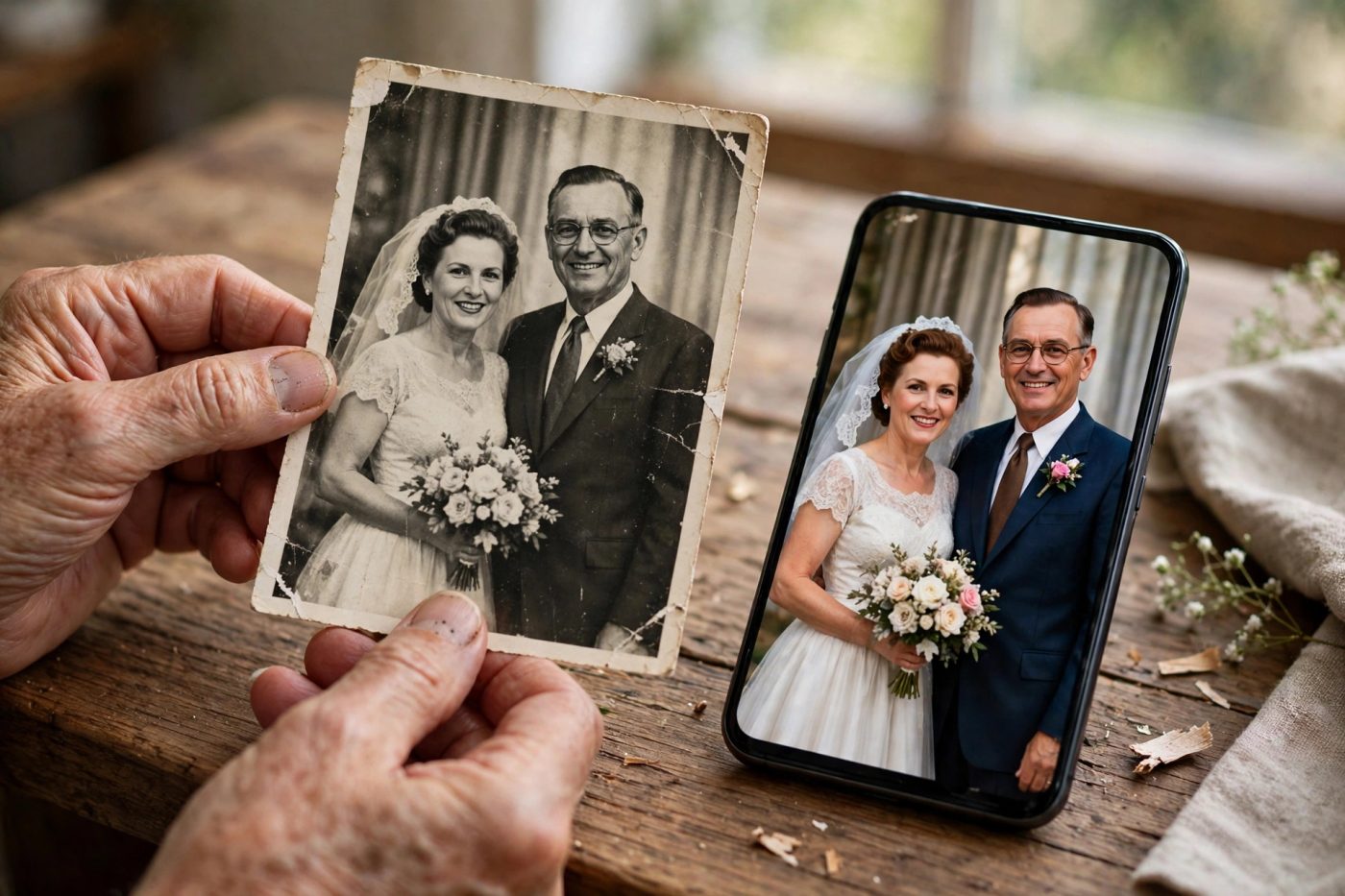
Does your grandparents’ old wedding photo have scratches and fading? First, try a gentle cleanup in Gemini. The prompt below, which is the instruction you give to the AI, is meant to reduce the damage while keeping the original look.

Protect the original first: work on a copy of the scan. Scan the photo straight; if you are capturing it with your phone, avoid glare and the shadow of your hand. Do not overwrite the original file.
Copy this: black-and-white restoration first
🎨 Customize prompt size, colour, glasses
🎨 Customize prompt size, colour, glasses
The face may not match exactly. Compare the result with your photo and ask the AI to fix anything that looks different.
This is a suggested restoration prompt. A face match is not guaranteed; the AI may fill in missing details the wrong way. Keep the original and the result side by side and compare the eyes, nose, smile, age and jewellery.
Want colour? Send this reply after the cleanup
Colorize the restored photograph gently, keeping the faces, apparent age, original outfits and composition unchanged. Use restrained, plausible colors. Do not replace clothing or invent decorative details.
A black-and-white photo cannot confirm the real colours of clothes and skin. Colorization is the AI’s guess. If your family remembers the real colour of the saree or suit, write that clearly. Do not force a white dress and a dark suit in every photo.
Short steps in Gemini
- Open Gemini on Android, sign in and upload a copy of the original scan.
- Paste the cleanup prompt above and send it. Google documents support for photo upload and editing.
- Zoom in on the result and compare it with the original. If the face has changed, do not accept that result; attach the original again and ask for a gentler cleanup.
- Touch and hold the result you like, then tap Save. When you send it to family, tell them it is an AI-restored or colorized copy.
About 4K and access
Writing 4K in the prompt does not make the file 4K. Check the actual pixel dimensions of the download. Google’s current guide says Nano Banana 2 gives a 1K download without an AI plan and a 2K download with an AI plan. Editing is for users aged 18 and above; availability and daily limits depend on your account.
Sources: Google: old-photo restoration and colorization examples · Gemini image editing, access and saving. We do not claim a hands-on test of this exact family-photo prompt here.
More trends
View all → AI Photo Editing
Bangle Market AI Photo Prompts: 3 Ivory Saree and Teal Blouse Shopping Looks
 AI Photo Editing
Cinematic Diwali Portrait AI Photo Prompts: 6 Diya, Mirror and Fairy Light Looks
 AI Photo Editing
Diwali Rooftop AI Photo Prompts: Silver Lehenga, Sky Lantern and Sparkler Looks
 AI Photo Editing
Diwali Rangoli Photoshoot AI Prompts: 5 Saree, Lehenga and Courtyard Looks
 AI Photo Editing
Dreamy Floral AI Photo Prompts: 5 Daisy, Lotus Water and Pink Petal Looks
 AI Photo Editing