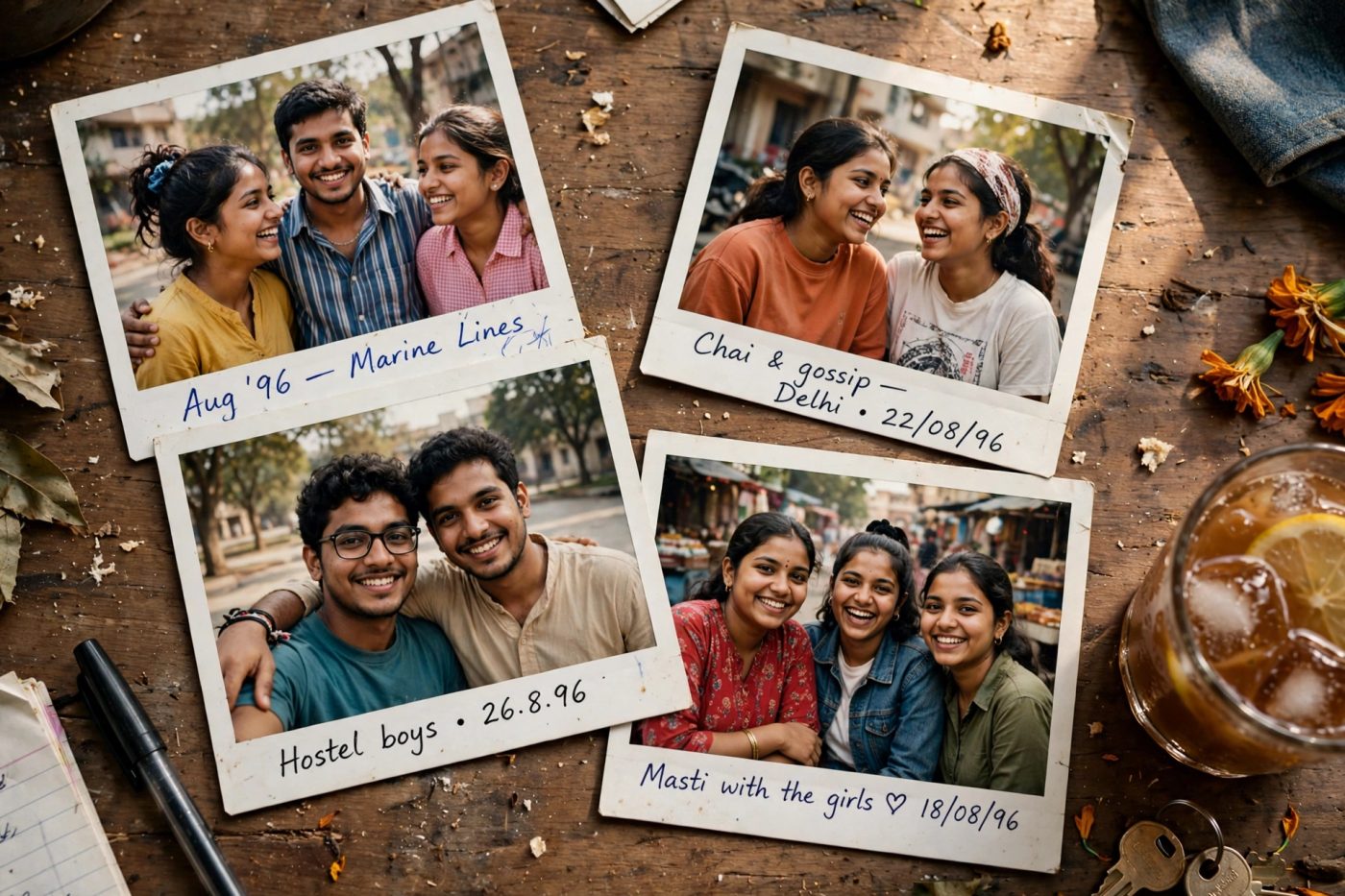
Apni doston wali photo ko purane album jaisa look dein: wooden table par chaar white-border photos, halki film grain aur “Aug 96” date. Neeche ka prompt, yani AI ko dene wali instruction, Gemini mein try karein.

Kya chahiye: ek clear group photo jismein sabke chehre saaf dikhte hon, aur Gemini mein image editing access. Yeh 1990s se inspired naya edit hoga, asli 1996 ki photo nahi.
Copy karein: 90s Polaroid collage prompt
Chehra same rehne ki guarantee nahi hai. Result ko apni reference photo se compare karo aur zaroorat ho to correction do.
Ek collage, chaar files nahi: yeh prompt ek image ke andar chaar photo prints maangta hai. Instagram carousel ke liye alag slides chahiye toh baad mein har print ko alag crop karna hoga.
Gemini mein kaise banayein?
- Android par Gemini app kholein aur sign in karein. Google ki guide ke mutabik photo editing 18+ users ke liye hai; access account aur region par depend karta hai.
- Apni clear group photo upload karein. Upar diya copy button dabayein aur prompt ko Gemini ke message box mein paste karke send karein.
- Result mein chaar prints, sabke chehre aur date check karein. Apni original photo se likeness compare karein.
- Android app mein result image ko touch karke hold karein, phir Save tap karein. Yeh download step Google ki official guide mein diya hai.
Look ko apne hisaab se badlein
Date: prompt mein Aug 96 ki jagah apna pasand ka text likhein. Zyada retro look ke liye reply dein: Add subtle film dust and slightly more faded colors, but keep every face clear.
Chehra ya text galat ho? original photo dobara attach karke reply dein: Keep each person closer to the uploaded group photo. Fix only the faces and the date text; keep the four-print layout. Face match ka koi fixed percentage ya guarantee nahi hai. Date phir bhi galat aaye toh plain border maang kar text editing app mein add karein.
Celebrity photo? Is guide ka prompt aapke uploaded friends group ke liye hai. Celebrity meet-up jaisa result banane ki guarantee nahi; fictional AI edit ko real meeting ki photo ki tarah share na karein.
Source: Google Gemini: image upload, editing aur saving. Steps official documentation par based hain; is exact prompt ka Gemini test yahan claim nahi kiya gaya hai.
More trends
View all → AI Photo Editing
Purani Wedding Photo Restore Karein: Gemini AI Prompt
 AI Photo Editing
White Chaniya Choli Dandiya Photo: AI Prompt
 AI Photo Editing
Navratri Red Scooter Photo: AI Prompt
 AI Photo Editing
Lightroom Prompt to Edit: Photo Badalne Ke 5 Easy Prompts
 AI Photo Editing
Navratri 9 Look Grid Collage AI Prompt 2026 (Ek Hi Photo Se)
 AI Photo Editing