Updated: 30 October 2026
Lakshmi Puja falls on 8 November this year, and most of us will click our festive photos against whatever wall is free at home. Below are three free Diwali diya backgrounds you can download right now, the exact prompts we used to make them, and a simple way to put your own photo on top.
Before and after
The left photo is the kind of picture you get under a tube light against a plain wall. The right one is the same kind of portrait placed on the vertical diya background from this post.


Download the backgrounds or make your own
Each background has no person in it, so you can use it for a solo photo, a couple shot or a quick greeting. Save the image directly, or copy the prompt if you want a version in your own colours.
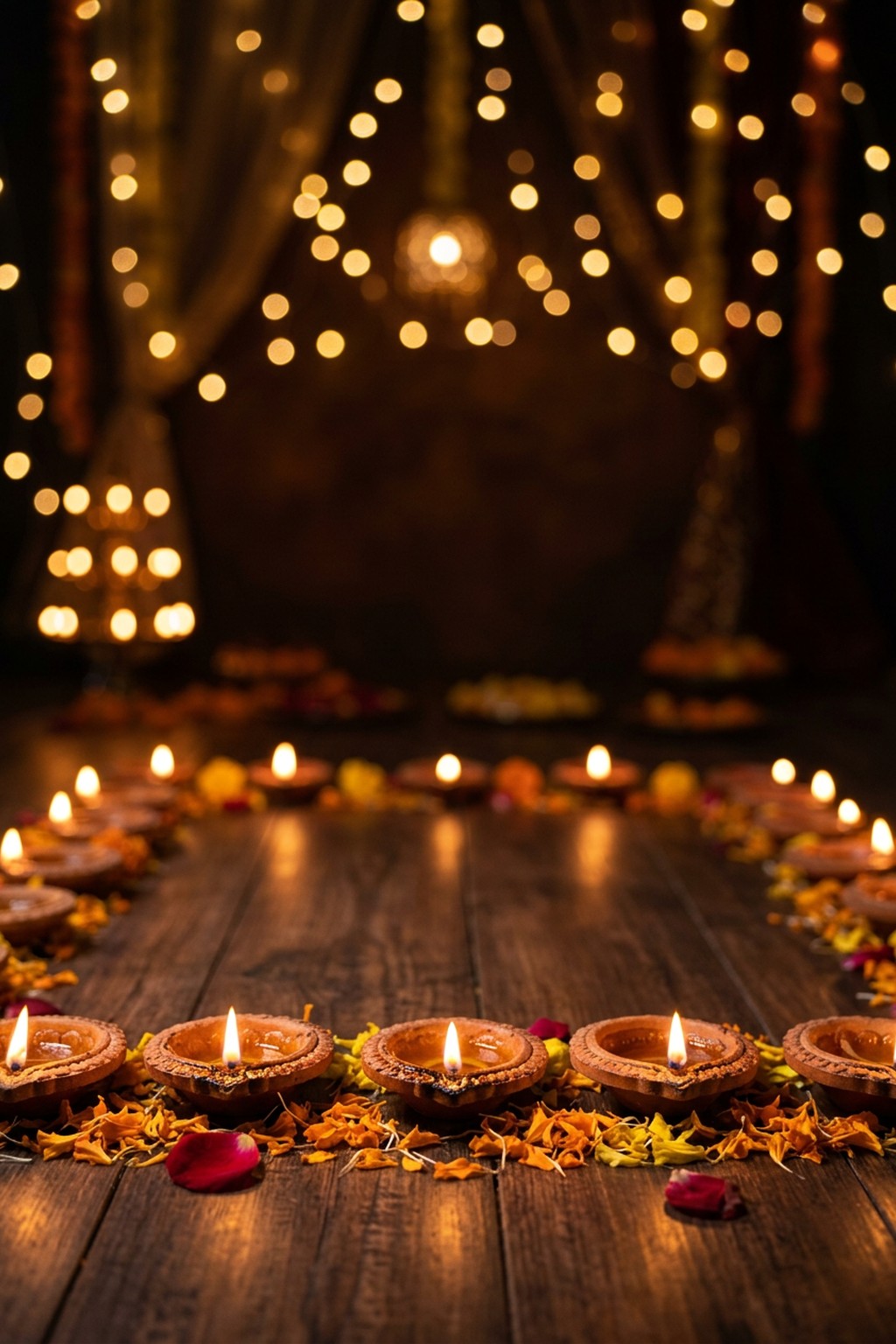
1. Diya floor with golden bokeh (vertical)

Download vertical diya background (JPG, 1024 × 1536). Best for a standing or waist-up portrait. Stand in the open floor path between the two rows of diyas.
2. Diya row with marigold toran (horizontal)

Download horizontal diya background (JPG, 1536 × 1024). Use this one for a couple or family photo, a YouTube thumbnail or a wide greeting. The left and right thirds have room for two people.

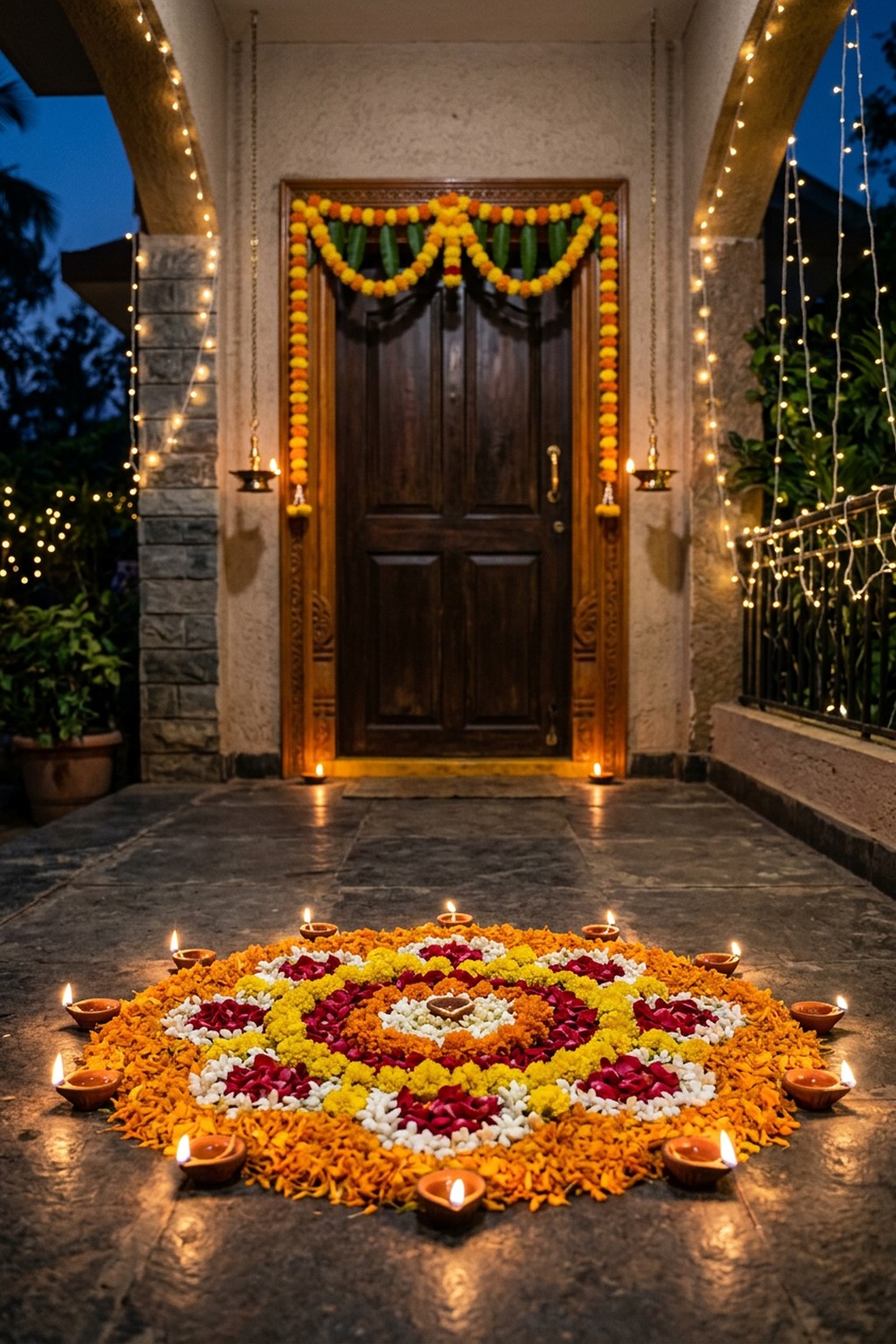
3. Doorstep rangoli with diyas (vertical)

Download doorstep rangoli background (JPG, 1024 × 1536). This one suits a full-length photo. Place yourself between the rangoli and the door so the flowers stay visible in front of your feet.
How to put your photo on the background
- Get the background. Download one above, or copy a prompt, open ChatGPT or Gemini, paste it and send. Keep the size line at the start of the prompt so you get a vertical or wide frame instead of a square.
- Pick the right photo of yourself. A clear waist-up or full-length shot with your whole outline visible works best. Hair tied back or neatly open cuts out more cleanly than loose strands against a busy wall.
- Open the background in Picsart. Tap the + button and choose the background image from your gallery.
- Add your photo and cut it out. Tap Add Photo, choose your picture, then, with it selected, tap Remove BG. Use the eraser or restore brush to clean up the hair edge and the gap between arm and body.
- Place it properly. Pinch to resize. For a waist-up shot, let your waist touch the bottom edge. For a full-length shot, keep your feet just behind the first row of diyas, not floating above the floor.
- Match the light, then save. With your cut-out selected, open the adjust tools and push warmth up slightly while bringing brightness down a little, so you look lit by diyas and not by a tube light. Save the image at full size.
What we noticed while making these
On the first try at the horizontal background, the bokeh came out as long wavy strings of light that almost looked like letters, even though the prompt said no text. Asking for randomly scattered round circles, “not arranged in strings, rows or shapes”, fixed it on the next attempt, which is the version you see above. The vertical background also added soft curtain shapes behind the lights that were not in the prompt. They stay blurred, so they do not distract.
For the before and after, we made the plain-wall photo in ChatGPT and then asked it to put the same woman in front of diyas. The face, bindi, low bun, chain, bangle and the gold border of the saree all carried over closely. The light was the weak spot. We asked for diya glow from below, but it came out as an even warm light over the whole face. It also cropped her slightly tighter, so the saree hem went out of frame.
Quick fixes
You look pasted on. Your photo is usually brighter and cooler than the background. Lower brightness, add warmth, and soften the cut-out edge slightly if your app allows it.
The lights form shapes or words. Add this to the prompt: “bokeh made of randomly scattered soft round circles, no letters or word shapes in the lights”.
The light on your face looks flat. If you place yourself with AI, add: “stronger warm diya light from below on the chin and neck, soft warm rim light on the hair, keep my face exactly the same”.
Common questions
Can I use these backgrounds for free?
Yes, for your own Instagram, WhatsApp and Facebook posts. Please do not resell them or upload them to other background websites.
Which one should I use for an Instagram post or Story?
The vertical ones are 2:3, which crops neatly to a 4:5 feed post. For a Story, you will need a little extra space at the top and bottom, so leave room above your head when you place yourself. The horizontal one is better for wide posts and thumbnails.
Can the AI place me on the background instead of a cut-out app?
Yes, that is how we made the after photo. Upload your photo first and the background second in ChatGPT or Gemini, then ask: “Place the person from Image 1 into the background from Image 2, standing in the open centre space. Keep the face, outfit and jewellery exactly the same. Relight with warm diya light from below.” Check the face carefully before you post, because AI can change small features.
For full portrait looks with diyas, see our Cinematic Diwali Portrait AI Photo Prompts, and if you want a softer backdrop, try the Golden Bokeh Background HD. Every AI app gives a slightly different image each time, and the light in your own photo matters too, so expect your result to differ from ours.
More trends
View all → HD Backgrounds
Navratri HD Background Pack Free Download 2026
 HD Backgrounds
How to Make a Garba Night Background: 3 Easy AI Prompts
 HD Backgrounds
Golden Bokeh Background HD for Portrait Editing: Free Download and AI Prompts (2026)
 AI Video Editing
Dhanteras AI Video Prompts: Doorstep Diya and Gold Necklace Videos From One Photo
 AI Video Editing
Diwali Cinematic AI Video Prompts for Girls: 5 Diya, Sparkler and Dupatta Videos
 AI Video Editing