Author: TricksFunnWriter

  • Cinematic Slow-Motion AI Video Prompt for Reels 2026

    Cinematic Slow-Motion AI Video Prompt for Reels 2026

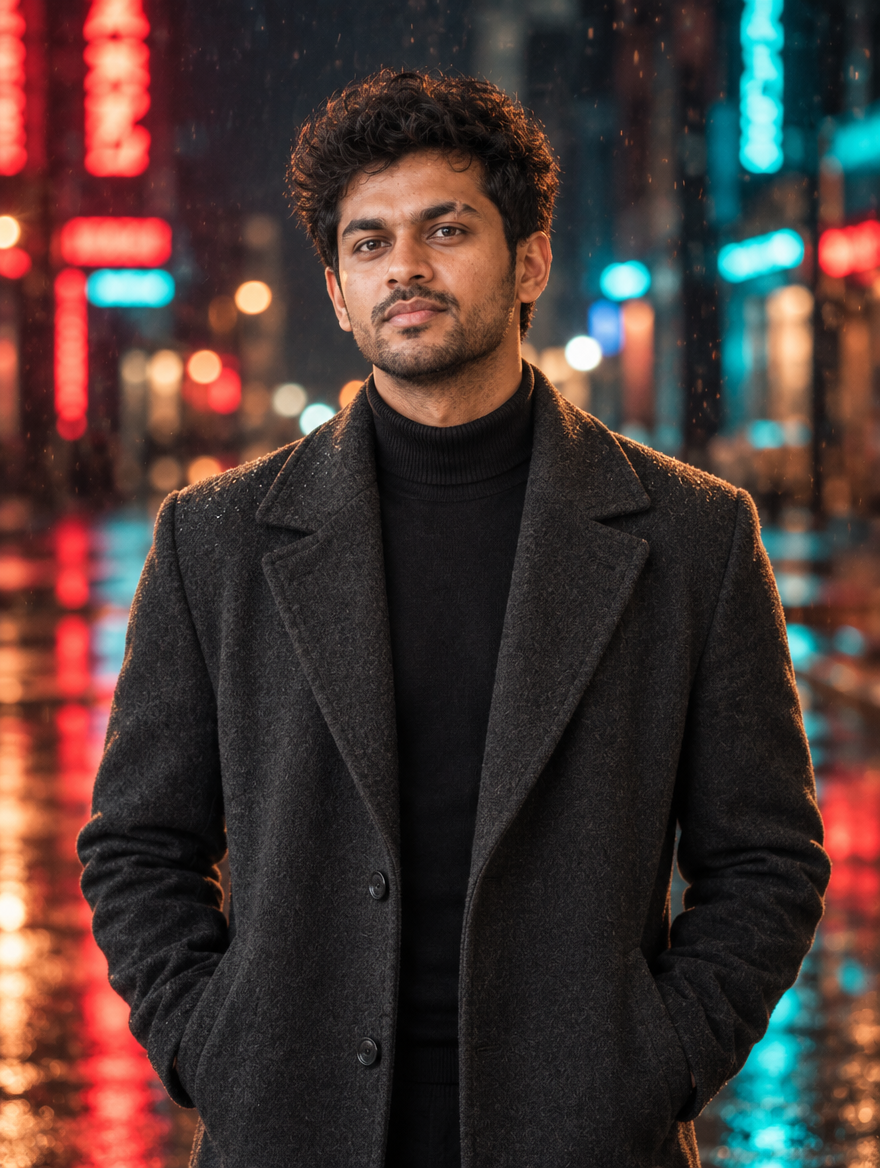
    Slow-motion rain walk clips with neon reflections look like movie scenes, and they’re all over Reels right now. You don’t need rain, a gimbal or a night shoot. Upload one photo of yourself to an AI photo-to-video tool, paste this prompt and get a moody, cinematic slow-mo clip in the teal-and-orange film look.

    Cinematic Slow-Motion AI Video Prompt for Reels 2026
    Example result — your photo will look different

    About this trend

    This edit is built on three things AI video does well: slow camera motion, rain and light reflections. You walk slowly towards the camera while rain drops hang in the air and neon signs reflect on the wet road. Keeping the walk slow gives the most realistic result and matches the “main character” mood people love.

    Copy the AI video prompt

    ✦ AI PROMPTCopy → paste in ChatGPT / Gemini
    Using my uploaded photo, keep my face, hairstyle and outfit exactly the same. Create a 5-second cinematic slow-motion video: I walk slowly towards the camera on a rain-wet city street at night, rain drops falling in slow motion and catching the light, neon signs reflecting on the wet road, gentle wind in my hair. Smooth tracking shot moving backwards in front of me, shallow depth of field, teal and orange colour grade, anamorphic film look, 24fps. No text, no extra people, no face distortion.
    ↓ Download example image

    Upload your photo along with the prompt. Results vary a little every time — try 2–3 times.

    How to create it

    1. Use a full-body or half-body photo of yourself standing straight, facing the camera.
    2. Open your AI photo-to-video tool (for example the video feature in Google Gemini or another image-to-video app).
    3. Upload the photo, tap Copy Prompt and paste it.
    4. Generate a few versions and keep the smoothest walk.
    5. In Instagram, add a slow, bass-heavy track and a light film-grain filter, then post.

    FAQs

    My walk looks weird. What should I change?

    Replace “I walk slowly towards the camera” with “I stand still and look into the camera while rain falls around me”. Standing shots almost never glitch.

    Can I change the colours?

    Yes. Swap “teal and orange colour grade” for “warm golden” or “black and white noir” to get a different mood.

    Is this free?

    Many AI video tools give a few free videos per day or week. Limits change often, so check inside the app before you start.

  • Diwali Photo to Video AI Prompt: Make Your Festive Photo Come Alive (2026)

    Diwali Photo to Video AI Prompt: Make Your Festive Photo Come Alive (2026)

    The newest festive trend on Reels is not a photo, it’s a photo that moves. Diyas flicker, fairy lights twinkle, the dupatta flows in the wind and you smile at the camera, all made from one still picture. This guide gives you a ready prompt for AI photo-to-video tools so your Diwali post becomes a short cinematic clip.

    Diwali Photo to Video AI Prompt: Make Your Festive Photo Come Alive (2026)
    Example result — your photo will look different

    About this trend

    Photo-to-video AI takes a single image and adds realistic motion for a few seconds. The best results come from simple, gentle movements: light flicker, hair and fabric in the wind, a slow camera push-in. Big movements like dancing usually look strange, so this prompt keeps the motion soft and cinematic. Use it on a Diwali portrait you already have, or on one made with our Diwali diya portrait prompt.

    Copy the AI video prompt

    ✦ AI PROMPTCopy → paste in ChatGPT / Gemini
    Animate my uploaded photo into a 5-second cinematic video. Keep my face, body and outfit exactly the same. Gentle, realistic motion only: the diya flames flicker softly, the fairy lights in the background twinkle, my hair and dupatta move slightly in a light breeze, I blink naturally and give a small smile. Slow camera push-in towards my face. Warm golden festive lighting, shallow depth of field, film look, smooth 24fps motion. No text, no extra people, no face distortion.
    ↓ Download example image

    Upload your photo along with the prompt. Results vary a little every time — try 2–3 times.

    How to create it

    1. Pick one sharp, well-lit festive photo where your face is clearly visible (portrait/vertical works best for Reels).
    2. Open an AI photo-to-video tool, for example the video feature in Google Gemini or another image-to-video app you use. Free limits change often, so check how many videos you get per day.
    3. Upload the photo, tap Copy Prompt above and paste it as the video description.
    4. Generate 2–3 versions and keep the one where your face stays most natural.
    5. Add a festive track in Instagram, trim to 5–7 seconds and post it as a Reel.

    FAQs

    Why does my face change in the video?

    Strong motion makes AI redraw the face. Keep the prompt’s “gentle motion” words, use a sharp photo, and avoid asking for dancing or turning the head.

    Can I make the video longer?

    Most tools make 5–8 second clips. Make two clips from the same photo with different camera moves and join them in any video editor.

    Which photo works best?

    A vertical photo with some space around you, soft light and a simple background. Group photos and side angles are harder for AI to animate.

  • Diwali Couple AI Photo Editing Prompt 2026

    Diwali Couple AI Photo Editing Prompt 2026

    Couple edits get the most comments during festival season, and Diwali is the perfect excuse for one. This prompt turns a normal photo of you two into a romantic, twinning Diwali portrait on a lit-up balcony with diyas, string lights and soft fireworks in the sky. Upload your couple photo, paste and generate.

    Diwali Couple AI Photo Editing Prompt 2026
    Example result — your photo will look different

    About this trend

    The Diwali couple edit keeps both faces the same and dresses you in coordinated festive outfits, standing close on a balcony decorated for Diwali. Warm golden light and fireworks bokeh make it feel like a pre-wedding shoot. Change the outfit colours in the prompt to match your own style.

    Copy the AI prompt

    ✦ AI PROMPTCopy → paste in ChatGPT / Gemini
    Using my uploaded couple photo, keep both people's faces, facial features, skin tones and hairstyles exactly the same. Create a romantic Diwali couple portrait: we are wearing coordinated festive outfits (woman in an emerald green lehenga with gold work, man in a cream kurta with an emerald green jacket) and standing close together on a balcony decorated with warm string lights and lit diyas. Soft fireworks bokeh in the night sky behind us, warm golden glow, candid happy moment, realistic skin texture, photorealistic. Vertical 4:5 format. No text, no watermark.
    ↓ Download example image

    Upload your photo along with the prompt. Results vary a little every time — try 2–3 times.

    How to create it

    1. Open ChatGPT or Google Gemini on your phone (both are free).
    2. Upload one clear photo of both of you, faces visible and well lit.
    3. Tap Copy Prompt above, paste it in the same message and send.
    4. Want to twin in another colour? Reply with “change both outfits to royal blue and silver” and regenerate.
    5. Download the result and post it as a Reel cover, Story or feed post with your festive hashtags.

    FAQs

    Which free AI app works best for this?

    ChatGPT and Google Gemini both work on the free plan and let you upload your own photo with the prompt. If one gives a weird face, try the same prompt in the other one.

    Will my face stay the same?

    The prompt asks the AI to keep your face exactly as it is, but AI can still change small details. Use a sharp, well-lit selfie and regenerate 2–3 times to get the closest match.

    Can I use two separate photos?

    Yes. Upload one clear photo of each person and write “use the face from photo 1 for the woman and photo 2 for the man” at the start of the prompt.

  • Lakshmi Puja Family Look AI Photo Prompt for Diwali 2026

    Lakshmi Puja Family Look AI Photo Prompt for Diwali 2026

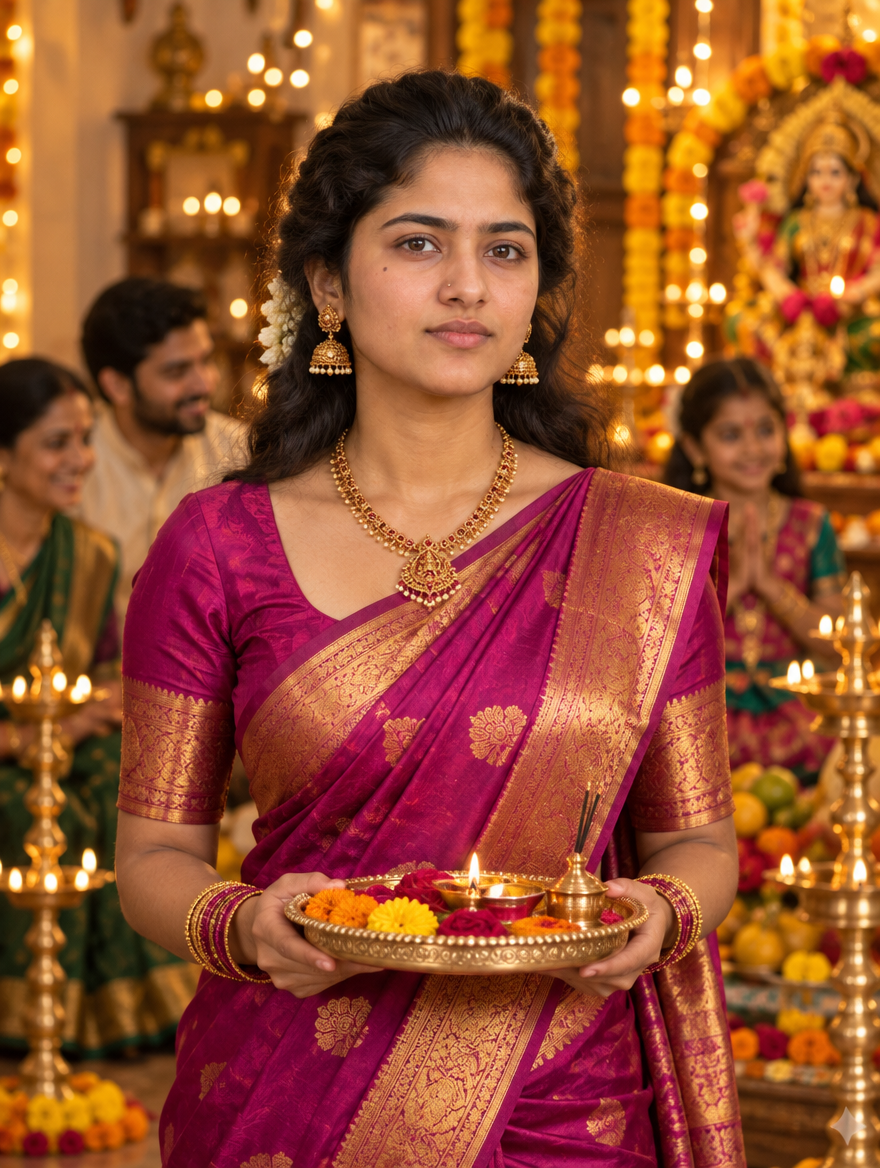
    On Diwali evening everyone is busy with puja, and the family photo usually ends up blurry or with someone missing. With this AI prompt you can turn any clear family photo into a warm, festive Lakshmi Puja portrait: traditional outfits, brass diyas, marigolds and golden light, perfect for WhatsApp status and Instagram.

    Lakshmi Puja Family Look AI Photo Prompt for Diwali 2026
    Example result — your photo will look different

    About this trend

    The family look edit keeps everyone’s faces the same and places the family together in front of a beautifully decorated puja setup at home. Warm lamp light and festive colours give it the classic Diwali-evening feel. Use a photo where every face is clearly visible for the best result.

    Copy the AI prompt

    ✦ AI PROMPTCopy → paste in ChatGPT / Gemini
    Using my uploaded family photo, keep every person's face, facial features, skin tone and hairstyle exactly the same and keep the same number of people. Create a warm Diwali Lakshmi Puja family portrait at home: everyone is wearing traditional festive clothes (silk sarees and kurtas in red, gold and green) and sitting or standing together in front of a decorated puja setup with brass diyas, marigold garlands, flowers, rangoli and a plate of sweets. Soft golden lamp light, happy smiles, cosy festive mood, realistic skin texture, photorealistic. Vertical 4:5 format. No text, no watermark.
    ↓ Download example image

    Upload your photo along with the prompt. Results vary a little every time — try 2–3 times.

    How to create it

    1. Open ChatGPT or Google Gemini on your phone (both are free).
    2. Upload one clear family photo where every face is visible and well lit.
    3. Tap Copy Prompt above, paste it in the same message and send.
    4. If a face changes, reply with “keep the face of the person on the left exactly like my photo” and regenerate.
    5. Download the result and post it as a Reel cover, Story or feed post with your festive hashtags.

    FAQs

    Which free AI app works best for this?

    ChatGPT and Google Gemini both work on the free plan and let you upload your own photo with the prompt. If one gives a weird face, try the same prompt in the other one.

    Will my face stay the same?

    The prompt asks the AI to keep your face exactly as it is, but AI can still change small details. Use a sharp, well-lit selfie and regenerate 2–3 times to get the closest match.

    How many people can be in the photo?

    AI works best with 2–5 people. For bigger families, try two separate photos or ask the AI to keep everyone in two rows.

  • Diwali Crackers Night AI Photo Prompt: Sparkler & Fireworks Edit 2026

    Diwali Crackers Night AI Photo Prompt: Sparkler & Fireworks Edit 2026

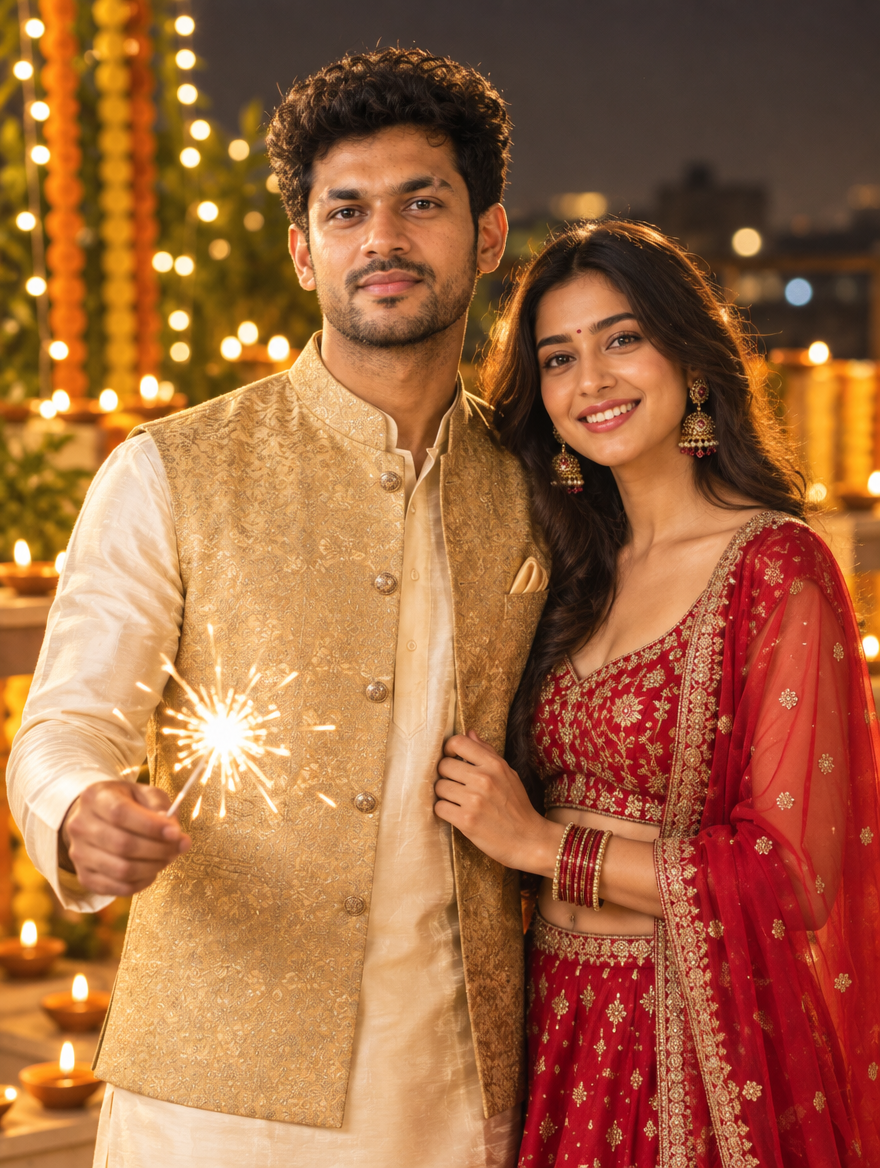
    Fireworks photos are hard to shoot on a phone: the sky is too dark, your face is blurry and the crackers never line up. This AI edit fixes all of that. Upload one clear selfie, paste the prompt and get a sharp, cinematic Diwali night photo with a glowing sparkler in your hand and colourful fireworks in the sky.

    Diwali Crackers Night AI Photo Prompt: Sparkler & Fireworks Edit 2026
    Example result — your photo will look different

    About this trend

    In the crackers night edit, your real face stays the same while the AI builds the full scene: rooftop at night, a sparkler lighting up your face, light trails and big colourful fireworks behind you. It’s one of the most shared Diwali edits and works great as a Reel cover or a feed post.

    Copy the AI prompt

    ✦ AI PROMPTCopy → paste in ChatGPT / Gemini
    Using my uploaded photo, keep my face, facial features, skin tone and hairstyle exactly the same. Create a cinematic Diwali night photo: I am standing on a rooftop at night holding a glowing sparkler, with bright sparkler light trails near my hand. Behind me, big colourful fireworks burst in the dark sky over softly blurred city lights. I am wearing a festive kurta (black for men / deep red anarkali for women). Warm orange light from the sparkler on my face, sharp focus on me, shallow depth of field, rich colours, realistic skin texture, photorealistic. Vertical 4:5 format. No text, no watermark.
    ↓ Download example image

    Upload your photo along with the prompt. Results vary a little every time — try 2–3 times.

    How to create it

    1. Open ChatGPT or Google Gemini on your phone (both are free).
    2. Upload one clear, front-facing photo of yourself: good light, face not covered.
    3. Tap Copy Prompt above, paste it in the same message and send.
    4. Want light-painting text? Reply with “add sparkler light trail writing ‘Happy Diwali’ in the air”. AI text can come out misspelt, so check it before posting.
    5. Download the result and post it as a Reel cover, Story or feed post with your festive hashtags.

    FAQs

    Which free AI app works best for this?

    ChatGPT and Google Gemini both work on the free plan and let you upload your own photo with the prompt. If one gives a weird face, try the same prompt in the other one.

    Will my face stay the same?

    The prompt asks the AI to keep your face exactly as it is, but AI can still change small details. Use a sharp, well-lit selfie and regenerate 2–3 times to get the closest match.

    Is this safer than shooting real crackers photos?

    Yes. You get the fireworks look without standing close to crackers at night. If you do shoot real sparklers, keep a safe distance and a bucket of water nearby.

  • Diwali Rangoli AI Photo Editing Prompt 2026

    Diwali Rangoli AI Photo Editing Prompt 2026

    Everyone posts their rangoli on Diwali, but a photo of you sitting next to a perfect, colourful rangoli is what really gets saves. With this AI prompt you don’t even need to draw one. Upload your selfie, paste the prompt and get a bright festive photo with a big rangoli, diyas and marigolds around you.

    Diwali Rangoli AI Photo Editing Prompt 2026
    Example result — your photo will look different

    About this trend

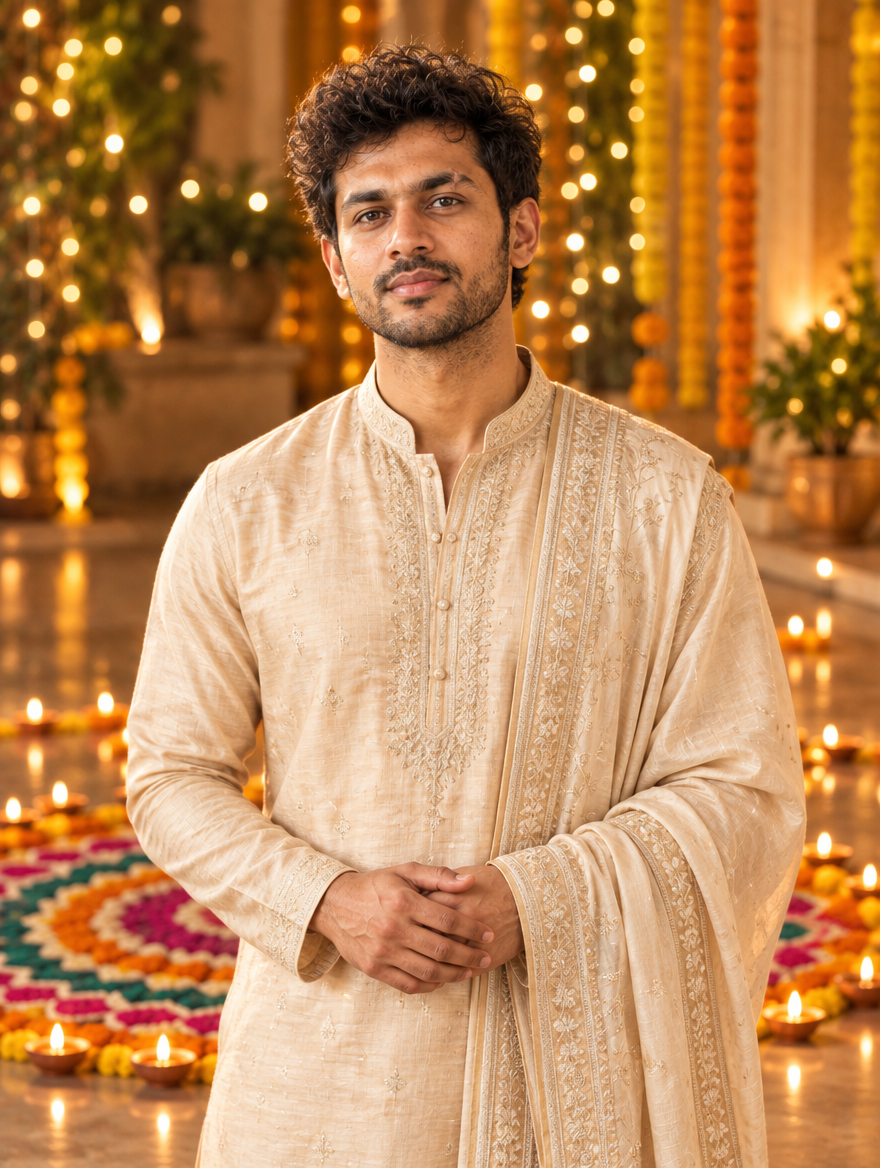
    The rangoli edit keeps your face and places you on the floor beside a large, detailed rangoli in bright colours, with diyas and marigold flowers around it. The slightly top-down angle makes the rangoli the star while you still look natural. It’s great for a carousel first slide or a festive Story.

    Copy the AI prompt

    ✦ AI PROMPTCopy → paste in ChatGPT / Gemini
    Using my uploaded photo, keep my face, facial features, skin tone and hairstyle exactly the same. Create a festive Diwali photo: I am sitting on the floor beside a large, detailed circular rangoli made of bright pink, orange, blue, yellow and green powder, with lit clay diyas placed around its edge and marigold flowers nearby. I am wearing a bright festive ethnic outfit (yellow kurta set for women / white kurta pajama for men) and smiling at the camera. Slightly top-down angle, warm evening light, rich colours, realistic skin texture, photorealistic. Vertical 4:5 format. No text, no watermark.
    ↓ Download example image

    Upload your photo along with the prompt. Results vary a little every time — try 2–3 times.

    How to create it

    1. Open ChatGPT or Google Gemini on your phone (both are free).
    2. Upload one clear, front-facing photo of yourself: good light, face not covered.
    3. Tap Copy Prompt above, paste it in the same message and send.
    4. Want a different rangoli? Reply with “make the rangoli a peacock design in blue and green” and regenerate.
    5. Download the result and post it as a Reel cover, Story or feed post with your festive hashtags.

    FAQs

    Which free AI app works best for this?

    ChatGPT and Google Gemini both work on the free plan and let you upload your own photo with the prompt. If one gives a weird face, try the same prompt in the other one.

    Will my face stay the same?

    The prompt asks the AI to keep your face exactly as it is, but AI can still change small details. Use a sharp, well-lit selfie and regenerate 2–3 times to get the closest match.

    Can I use my real rangoli in the photo?

    Yes. Upload a photo of your rangoli along with your selfie and add “use the rangoli from the second photo” at the end of the prompt.

  • Diwali Diya Portrait AI Photo Prompt for Instagram 2026

    Diwali Diya Portrait AI Photo Prompt for Instagram 2026

    The diya portrait is the most loved Diwali edit every year: your face lit only by the warm glow of a clay diya, with soft golden bokeh all around. You don’t need a photographer or perfect lighting for it anymore. Upload one selfie in ChatGPT or Gemini, paste the prompt below and get a dreamy Diwali portrait ready for your feed.

    Diwali Diya Portrait AI Photo Prompt for Instagram 2026
    Example result — your photo will look different

    About this trend

    This edit keeps your real face and turns the scene into a Diwali night close-up: you hold a glowing diya near your face, surrounded by more diyas and fairy lights. The warm golden light makes skin look soft and the photo feel cinematic. It works for girls and boys and looks best as a 4:5 feed post or a Story.

    Copy the AI prompt

    ✦ AI PROMPTCopy → paste in ChatGPT / Gemini
    Using my uploaded photo, keep my face, facial features, skin tone and hairstyle exactly the same. Create a Diwali night portrait: I am holding a glowing clay diya close to my face with both hands, wearing festive ethnic clothes (a rich maroon and gold silk saree for women / a cream silk kurta for men). Around me are many small lit diyas and warm fairy lights with soft golden bokeh. My face is lit only by the warm diya glow, gentle smile, cinematic warm tones, realistic skin texture, photorealistic, high detail. Vertical 4:5 format. No text, no watermark.
    ↓ Download example image

    Upload your photo along with the prompt. Results vary a little every time — try 2–3 times.

    How to create it

    1. Open ChatGPT or Google Gemini on your phone (both are free).
    2. Upload one clear, front-facing photo of yourself: good light, face not covered.
    3. Tap Copy Prompt above, paste it in the same message and send.
    4. Want it moodier? Reply with “make the background darker, only diya light on my face” and regenerate.
    5. Download the result and post it as a Reel cover, Story or feed post with your festive hashtags.

    FAQs

    Which free AI app works best for this?

    ChatGPT and Google Gemini both work on the free plan and let you upload your own photo with the prompt. If one gives a weird face, try the same prompt in the other one.

    Will my face stay the same?

    The prompt asks the AI to keep your face exactly as it is, but AI can still change small details. Use a sharp, well-lit selfie and regenerate 2–3 times to get the closest match.

    Which outfit colour looks best in a diya portrait?

    Deep colours like maroon, bottle green, royal blue and black look best because the golden diya glow stands out on them. Just change the outfit line in the prompt.

  • Dussehra AI Photo Editing Prompt for Instagram 2026

    Dussehra AI Photo Editing Prompt for Instagram 2026

    Dussehra edits are all about drama: a giant Ravan effigy on fire, sparks in the sky and you standing in front of it like a movie poster. This free AI prompt gives you exactly that from a normal selfie. Upload your photo in ChatGPT or Gemini, paste the prompt and get a cinematic Ravan Dahan portrait in seconds.

    Dussehra AI Photo Editing Prompt for Instagram 2026
    Example result — your photo will look different

    About this trend

    In the Dussehra AI edit, your real face stays the same while the background becomes a Ravan Dahan scene at dusk: burning effigy, glowing embers, deep blue sky and warm orange rim light on your face. It works best as a vertical post or Reel cover and is one of the most shared festive edits every year.

    Copy the AI prompt

    ✦ AI PROMPTCopy → paste in ChatGPT / Gemini
    Using my uploaded photo, keep my face, facial features, skin tone and hairstyle exactly the same. Place me in a cinematic Dussehra scene at dusk: I am wearing a festive kurta, standing in an open ground with a huge Ravan effigy burning behind me, bright orange flames, glowing embers and sparks floating in a deep blue twilight sky. Warm orange rim light on my face and shoulders, shallow depth of field, dramatic movie-poster mood, realistic skin texture, photorealistic, high detail. Vertical 4:5 format. No text, no watermark.
    ↓ Download example image

    Upload your photo along with the prompt. Results vary a little every time — try 2–3 times.

    How to create it

    1. Open ChatGPT or Google Gemini on your phone (both are free).
    2. Upload one clear, front-facing photo of yourself: good light, face not covered.
    3. Tap Copy Prompt above, paste it in the same message and send.
    4. For a stronger look, reply with “make it look like a movie poster, low angle shot” and regenerate.
    5. Download the result and post it as a Reel cover, Story or feed post with your festive hashtags.

    FAQs

    Which free AI app works best for this?

    ChatGPT and Google Gemini both work on the free plan and let you upload your own photo with the prompt. If one gives a weird face, try the same prompt in the other one.

    Will my face stay the same?

    The prompt asks the AI to keep your face exactly as it is, but AI can still change small details. Use a sharp, well-lit selfie and regenerate 2–3 times to get the closest match.

    Can I use this for an Instagram Reel?

    Yes. Generate the photo, then add it to a Reel with a slow zoom and a festive track. Change “4:5” to “9:16” in the prompt for full-screen Reels.

  • Durga Puja Bengali Look AI Photo Prompt 2026

    Durga Puja Bengali Look AI Photo Prompt 2026

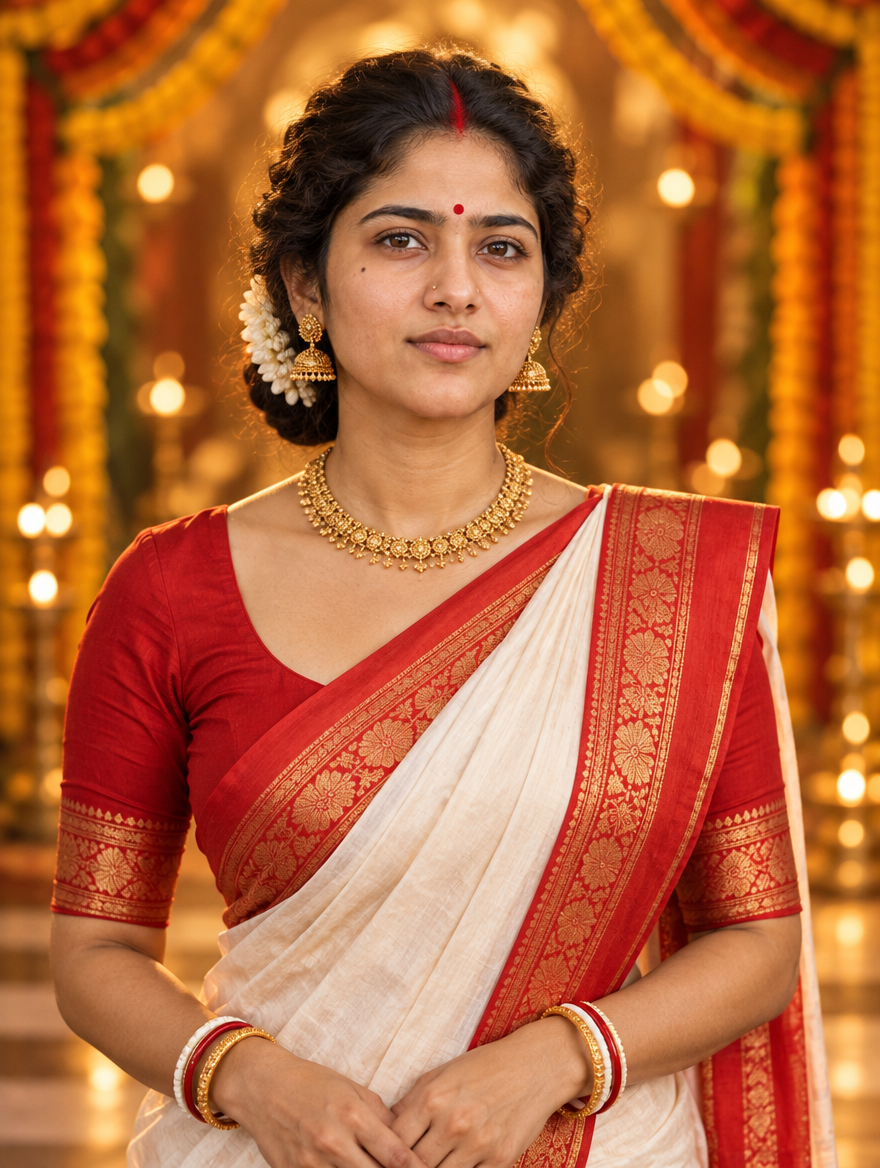
    Pujo season means one thing on Instagram: the classic Bengali look. White saree with red border, sindoor-red bindi, dhunuchi smoke and glowing pandal lights. With this free AI prompt you can turn a normal selfie into that Durga Puja portrait in a minute. Just upload your photo, paste the prompt and generate.

    Durga Puja Bengali Look AI Photo Prompt 2026
    Example result — your photo will look different

    About this trend

    The Durga Puja Bengali look edit keeps your real face and dresses you in traditional Bengali attire: a lal-paar sada (red-bordered white) saree for women or a dhoti-panjabi for men, inside a lit-up pandal in the evening. Warm golden light and dhunuchi smoke give it the cinematic Pujo feel that performs well on Reels.

    Copy the AI prompt

    ✦ AI PROMPTCopy → paste in ChatGPT / Gemini
    Using my uploaded photo, keep my face, facial features, skin tone and hairstyle exactly the same. Transform me into a Durga Puja Bengali look portrait: I am wearing a traditional white saree with a wide red border, a red bindi and elegant gold jewellery (for men: a cream dhoti with a silk panjabi). I am standing inside a beautifully lit Durga Puja pandal in the evening, with soft dhunuchi incense smoke, warm golden fairy lights and festive bokeh behind me. Gentle smile, cinematic warm lighting, realistic skin texture, photorealistic, high detail. Vertical 4:5 format. No text, no watermark.
    ↓ Download example image

    Upload your photo along with the prompt. Results vary a little every time — try 2–3 times.

    How to create it

    1. Open ChatGPT or Google Gemini on your phone (both are free).
    2. Upload one clear, front-facing photo of yourself: good light, face not covered.
    3. Tap Copy Prompt above, paste it in the same message and send.
    4. Want a different vibe? Reply with “add sindoor khela with red colour on the face” or “make it daytime at the pandal”.
    5. Download the result and post it as a Reel cover, Story or feed post with your festive hashtags.

    FAQs

    Which free AI app works best for this?

    ChatGPT and Google Gemini both work on the free plan and let you upload your own photo with the prompt. If one gives a weird face, try the same prompt in the other one.

    Will my face stay the same?

    The prompt asks the AI to keep your face exactly as it is, but AI can still change small details. Use a sharp, well-lit selfie and regenerate 2–3 times to get the closest match.

    What should men wear in this edit?

    The prompt already switches to a dhoti with silk panjabi for men. You can also ask for a “white kurta with a red gamcha”.

  • Navratri Garba AI Photo Editing Prompt for Instagram 2026

    Navratri Garba AI Photo Editing Prompt for Instagram 2026

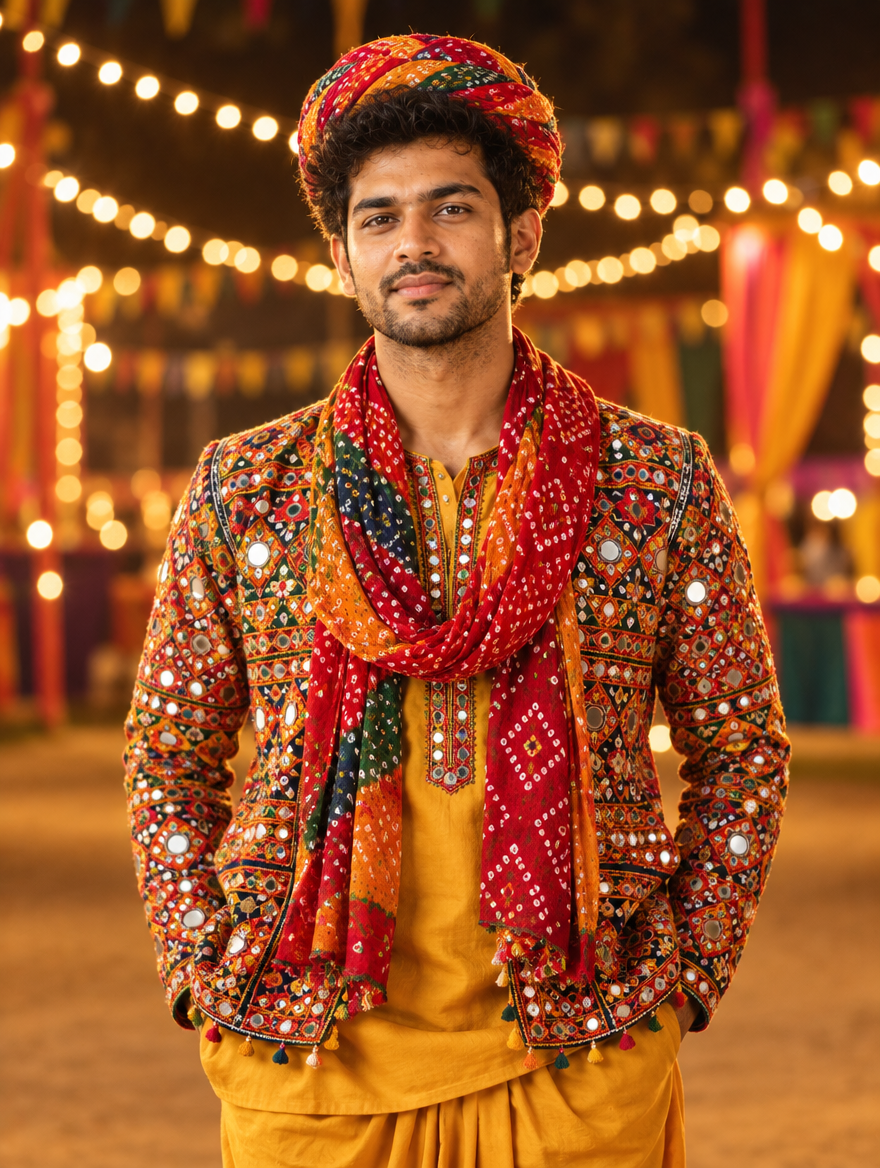
    Navratri is here, and every second Reel on Instagram right now is a glowing Garba portrait. The good news: you don’t need a studio shoot or a new outfit to join the trend. Upload one normal selfie, paste the prompt below into ChatGPT or Gemini, and get a festive Garba photo with mirror-work chaniya choli, dandiya and warm pandal lights in under a minute.

    Navratri Garba AI Photo Editing Prompt for Instagram 2026
    Example result — your photo will look different

    About this trend

    The Navratri Garba AI edit keeps your real face and puts you in a colourful Garba night: traditional Gujarati outfit, marigold decor, fairy lights and soft bokeh. It works for both girls and boys (just change the outfit line), and it looks best as a vertical 4:5 or 9:16 post.

    Copy the AI prompt

    ✦ AI PROMPTCopy → paste in ChatGPT / Gemini
    Using my uploaded photo, keep my face, facial features, skin tone and hairstyle exactly the same. Transform me into a joyful Navratri Garba portrait at night: I am wearing a vibrant traditional Gujarati outfit (mirror-work chaniya choli for women / embroidered kediyu for men) in red, green and gold, holding decorated dandiya sticks in a natural mid-dance pose. Background: a festive Garba pandal with marigold garlands, warm fairy lights and colourful soft bokeh. Cinematic warm lighting, rich saturated colours, realistic skin texture, sharp details, photorealistic. Vertical 4:5 format. No text, no watermark.
    ↓ Download example image

    Upload your photo along with the prompt. Results vary a little every time — try 2–3 times.

    How to create it

    1. Open ChatGPT or Google Gemini on your phone (both are free).
    2. Upload one clear, front-facing photo of yourself: good light, face not covered.
    3. Tap Copy Prompt above, paste it in the same message and send.
    4. Not happy with the outfit colour? Reply with “make the chaniya choli pink and silver” (or any colour) and regenerate.
    5. Download the result and post it as a Reel cover, Story or feed post with your festive hashtags.

    FAQs

    Which free AI app works best for this?

    ChatGPT and Google Gemini both work on the free plan and let you upload your own photo with the prompt. If one gives a weird face, try the same prompt in the other one.

    Will my face stay the same?

    The prompt asks the AI to keep your face exactly as it is, but AI can still change small details. Use a sharp, well-lit selfie and regenerate 2–3 times to get the closest match.

    Can boys use this Navratri prompt?

    Yes. The prompt already includes a kediyu option for men. You can also write “white kurta with bandhani jacket” instead.