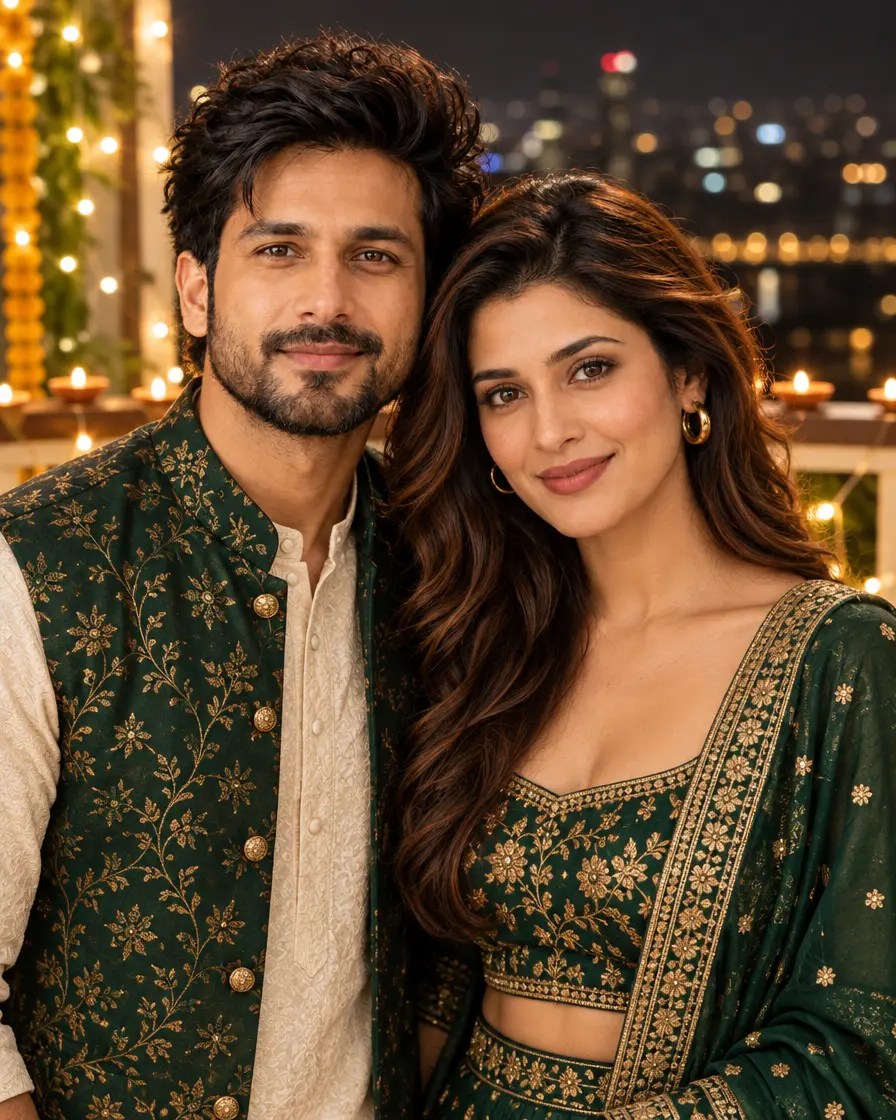
Diwali is a good time for a couple photo. This prompt turns a normal photo of you two into a romantic, twinning Diwali portrait on a lit-up balcony with diyas, string lights and a softly blurred city skyline. Upload your couple photo, paste and generate.
About the Diwali couple look
The Diwali couple edit keeps both faces the same and dresses you in coordinated festive outfits, standing close on a balcony decorated for Diwali. Warm golden light and soft city-light bokeh make it feel like a pre-wedding shoot. Change the outfit colours in the prompt to match your own style.
Copy the AI prompt
AI example. Your result may look different.
✦ AI PROMPTCopy → paste in ChatGPT / Gemini
Edit my uploaded photos - the first person and the second person. Do not redraw either face - keep both faces exactly as in the original: the same face shape and width, the same cheeks, the same jawline and chin, the same nose shape and width, the same eye shape and spacing, the same eyebrows, the same lip shape and the same natural skin tone. Do not slim our faces, do not sharpen the jaw, do not enlarge the eyes, do not change our age and do not make our features more symmetrical. Change ONLY the clothing, the background and the lighting described below, and keep both heads at the same angle as in the photo. Using my uploaded couple photo, keep both people's faces, facial features, skin tones and hairstyles exactly the same. Create a romantic Diwali couple portrait: we are wearing coordinated festive outfits (woman in an emerald green lehenga with gold work, man in a cream kurta with an emerald green jacket) and standing close together on a balcony decorated with warm string lights and lit diyas. Soft city-light bokeh in the night sky behind us, warm golden glow, candid happy moment, realistic skin texture, photorealistic. Vertical 4:5 format. No text, no watermark. Skin quality and face: keep the original facial identity, structure, proportions, expression and natural skin tone. Render the skin clean, flawless, healthy and naturally radiant, with an even tone across the forehead, cheeks, nose and chin. Remove AI-generated patchiness, blotches, unwanted discoloration, rough rendering, artificial noise and uneven skin texture. Make the skin high-resolution and photorealistic, with subtle natural pores, soft realistic highlights and smooth tonal transitions, refined but never plastic, waxy, blurred or over-airbrushed. The face must be sharp, clear, evenly lit and professionally photographed: no patchy complexion, muddy texture, oversharpening, grain or compression artifacts on the skin. Keep the face fully visible: no hand, arm, hair, prop or flame covers the forehead, eyes, nose, mouth or chin. Final quality: premium professional portrait photography, natural flawless skin, crisp facial detail and a realistic photographic finish.
 AI Photo Editing
 AI Photo Editing
 AI Photo Editing
 AI Photo Editing
 AI Photo Editing
 AI Photo Editing