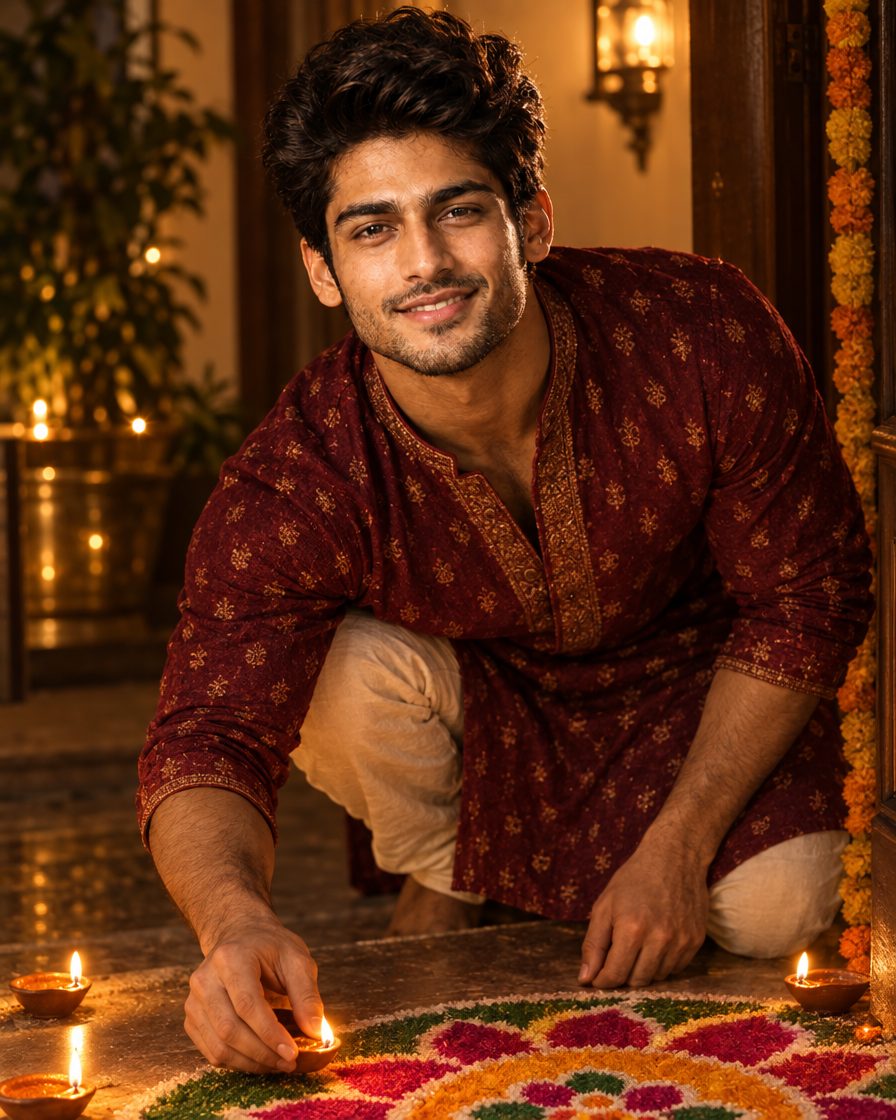
Everyone posts their rangoli on Diwali, but a photo of you sitting next to a perfect, colourful rangoli is what really gets saves. With this AI prompt you don’t even need to draw one. Upload your selfie, paste the prompt and get a bright festive photo with a big rangoli, diyas and marigolds around you.

About this trend
The rangoli edit keeps your face and places you on the floor beside a large, detailed rangoli in bright colours, with diyas and marigold flowers around it. The slightly top-down angle makes the rangoli the star while you still look natural. It’s great for a carousel first slide or a festive Story.
Copy the AI prompt

Chehra same rehne ki guarantee nahi hai. Result ko apni reference photo se compare karo aur zaroorat ho to correction do.
How to create it
- Open ChatGPT or Google Gemini on your phone (both are free).
- Upload one clear, front-facing photo of yourself: good light, face not covered.
- Tap Copy Prompt above, paste it in the same message and send.
- Want a different rangoli? Reply with “make the rangoli a peacock design in blue and green” and regenerate.
- Download the result and post it as a Reel cover, Story or feed post with your festive hashtags.
FAQs
Can I use my real rangoli in the photo?
Yes. Upload a photo of your rangoli along with your selfie and add “use the rangoli from the second photo” at the end of the prompt.
More trends
View all → AI Photo Editing
Couple AI Photo Prompts: 7 Natural & Candid Photoshoot Ideas
 AI Photo Editing
Navratri Garba AI Photo Prompts: 7 Colourful Lehenga & Dandiya Looks
 AI Photo Editing
Baby Durga AI Photo Prompts: 5 Cinematic Little Devi Looks
 AI Photo Editing
Baby Navratri AI Photoshoot: 4 Beautiful Prompts aur Easy Tutorial
 AI Photo Editing
Royal Navratri AI Photo Prompts: Black Lehenga Look + Instagram Edits Reel Guide
 AI Photo Editing