Tag: Google Gemini photo edit

  • 1980s AI Photo Editing Prompt 2026 (Free Copy Paste)

    1980s AI Photo Editing Prompt 2026 (Free Copy Paste)

    The 1980s AI photo trend is everywhere on Reels this month: big hair, neon geometric backdrops, grainy film texture and that old mall-studio flash. Achhi baat ye hai ki iske liye koi shoot ya costume nahi chahiye. Apni ek normal selfie ChatGPT ya Gemini mein upload karo, neeche wala prompt paste karo, aur 30 second mein 1986 wali album photo ready.

    1980s AI Photo Editing Prompt 2026 (Free Copy Paste)
    Example result — your photo will look different

    About this trend

    Ye look ek 1986 ke mall photo studio jaisa feel deta hai: studio flash, neon pink aur blue backdrop, film grain aur halki dust scratches. AI tumhara chehra same rakhta hai aur sirf hair volume, outfit aur background badalta hai. Vertical 4:5 mein banao to feed post aur Story dono ke liye perfect rehta hai.

    The prompts (copy and paste)

    Prompt 1: Classic 80s mall studio look

    Ye main prompt hai. Ladke aur ladkiyan dono use kar sakte hain, jacket wali line badal ke.

    ✦ AI PROMPTCopy → paste in ChatGPT / Gemini
    Using my uploaded photo, keep my face, facial features and skin tone exactly the same, but change my hairstyle to big 1980s curly volume. Create a 1980s retro studio portrait: I am wearing a vintage 80s varsity jacket in blue and pink with a small embroidered patch, standing in front of a neon pink and blue geometric backdrop. Studio flash lighting, grainy film texture, slight dust and scratches, photorealistic, realistic skin texture. Vertical 4:5 format. No text, no watermark.
    ↓ Download example image

    Upload your photo along with the prompt. Results vary a little every time — try 2–3 times.

    Prompt 2: 80s glam portrait (saree / satin dress)

    Ye softer version hai: warm lighting, glossy makeup aur retro Indian glam. Girls ke liye best chalta hai.

    ✦ AI PROMPTCopy → paste in ChatGPT / Gemini
    Using my uploaded photo, keep my face, facial features and skin tone exactly the same, with softly curled voluminous 1980s hair. Create a glamorous 1980s Indian studio portrait: I am wearing a shiny satin saree (or a satin puff-sleeve dress) in jewel tones with gold jewellery, warm tungsten studio lighting with a soft glow, a dark gradient backdrop with a gentle halo of light behind me. Film grain, soft focus glamour look, photorealistic, realistic skin texture. Vertical 4:5 format. No text, no watermark.
    ↓ Download example image

    Upload your photo along with the prompt. Results vary a little every time — try 2–3 times.

    How to create it

    1. Open ChatGPT or Google Gemini on your phone (dono free hain).
    2. Ek clear, front-facing selfie upload karo: achhi light, face par kuch na ho.
    3. Copy Prompt dabao aur usi message mein paste karke send karo.
    4. 90s wala chahiye? Usi chat mein reply karo: “make it 90s Bollywood poster style”.
    5. Image download karo aur Reel cover, Story ya feed post ki tarah daalo.

    Tips for a better result

    • Selfie mein natural light ho to face sabse accha match hota hai. Dark photo se AI chehra badal deta hai.
    • 2–3 baar generate karo aur jisme face sabse close ho wahi rakho.
    • Zyada retro feel chahiye to reply karo: “add more film grain and slight VHS colour shift”.
    • Post karne se pehle Instagram mein thoda warmth badha do, look aur authentic lagta hai.

    FAQs

    Which free app works best for this 1980s trend?

    ChatGPT aur Google Gemini dono free plan pe photo upload allow karte hain. Ek mein face weird aaye to wahi prompt dusre mein try karo.

    Will my face stay the same?

    Prompt mein face same rakhne ko bola gaya hai, phir bhi AI chhoti details badal deta hai. Sharp selfie use karo aur 2–3 baar regenerate karo.

    Can boys use these prompts?

    Haan. Pehla prompt waise hi chalega. Dusre mein saree wali line hata ke likho “wearing a satin shirt with a blazer”.

    Can I use this for a Reel?

    Bilkul. Photo banao, usme slow zoom lagao aur ek retro track add kar do. Full-screen Reel ke liye prompt mein “4:5” ki jagah “9:16” likh do.
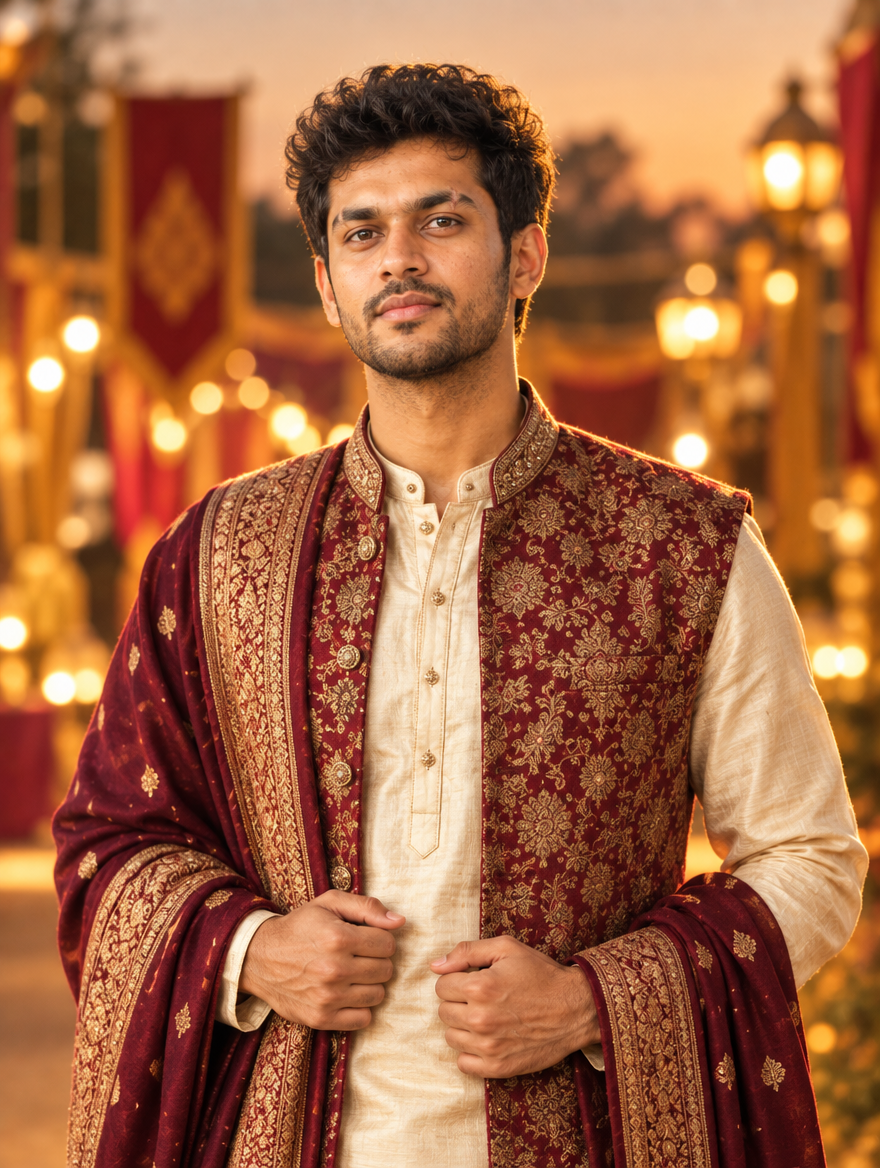
  • Dussehra AI Photo Editing Prompt for Instagram 2026

    Dussehra AI Photo Editing Prompt for Instagram 2026

    Dussehra edits are all about drama: a giant Ravan effigy on fire, sparks in the sky and you standing in front of it like a movie poster. This free AI prompt gives you exactly that from a normal selfie. Upload your photo in ChatGPT or Gemini, paste the prompt and get a cinematic Ravan Dahan portrait in seconds.

    Dussehra AI Photo Editing Prompt for Instagram 2026
    Example result — your photo will look different

    About this trend

    In the Dussehra AI edit, your real face stays the same while the background becomes a Ravan Dahan scene at dusk: burning effigy, glowing embers, deep blue sky and warm orange rim light on your face. It works best as a vertical post or Reel cover and is one of the most shared festive edits every year.

    Copy the AI prompt

    ✦ AI PROMPTCopy → paste in ChatGPT / Gemini
    Using my uploaded photo, keep my face, facial features, skin tone and hairstyle exactly the same. Place me in a cinematic Dussehra scene at dusk: I am wearing a festive kurta, standing in an open ground with a huge Ravan effigy burning behind me, bright orange flames, glowing embers and sparks floating in a deep blue twilight sky. Warm orange rim light on my face and shoulders, shallow depth of field, dramatic movie-poster mood, realistic skin texture, photorealistic, high detail. Vertical 4:5 format. No text, no watermark.
    ↓ Download example image

    Upload your photo along with the prompt. Results vary a little every time — try 2–3 times.

    How to create it

    1. Open ChatGPT or Google Gemini on your phone (both are free).
    2. Upload one clear, front-facing photo of yourself: good light, face not covered.
    3. Tap Copy Prompt above, paste it in the same message and send.
    4. For a stronger look, reply with “make it look like a movie poster, low angle shot” and regenerate.
    5. Download the result and post it as a Reel cover, Story or feed post with your festive hashtags.

    FAQs

    Which free AI app works best for this?

    ChatGPT and Google Gemini both work on the free plan and let you upload your own photo with the prompt. If one gives a weird face, try the same prompt in the other one.

    Will my face stay the same?

    The prompt asks the AI to keep your face exactly as it is, but AI can still change small details. Use a sharp, well-lit selfie and regenerate 2–3 times to get the closest match.

    Can I use this for an Instagram Reel?

    Yes. Generate the photo, then add it to a Reel with a slow zoom and a festive track. Change “4:5” to “9:16” in the prompt for full-screen Reels.