Is your Windows PC slowing down lately? Whether you’re working, gaming, or studying, a sluggish computer can ruin your productivity—and your mood. The good news? You don’t need to spend money to fix it.
In this post, I’ll share 5 free tools. You can use them right now to clean your PC. Additionally, they can optimize and speed up your PC in 2025. These tools are tested, safe, and ideal for beginners.
🛠 1. Microsoft PC Manager (Official & Free)
🔗 Download
Microsoft has finally launched its own official PC optimization tool—and it’s surprisingly good.

✅ What It Does:
- Clears temporary files, system cache
- Closes background apps
- Scans for startup issues
✅ Why It’s Good:
- Lightweight and safe (developed by Microsoft)
- One-click optimization
- Great for basic cleanup
🟢 Best For:
Windows 10/11/12 users looking for a simple, official tool.
🧹 2. CCleaner (Free Version)
🔗 Download
CCleaner is a long-time favorite in the PC cleaning world, known for its easy interface and one-click performance boost.
✅ Features:
- Clears browser and system cache
- Registry cleaner (optional)
- Custom clean rules
✅ Pros:
- Easy for beginners
- Cleans gigabytes of junk with one click
❗ Cons:
- Watch out during installation—avoid extra software offers
🟢 Best For:
Anyone wanting quick, regular PC cleanups without getting technical.
⚙️ 3. Advanced SystemCare (IObit)
🔗 Download
If you’re looking for an all-in-one PC performance booster, Advanced SystemCare Free is powerful and feature-packed.
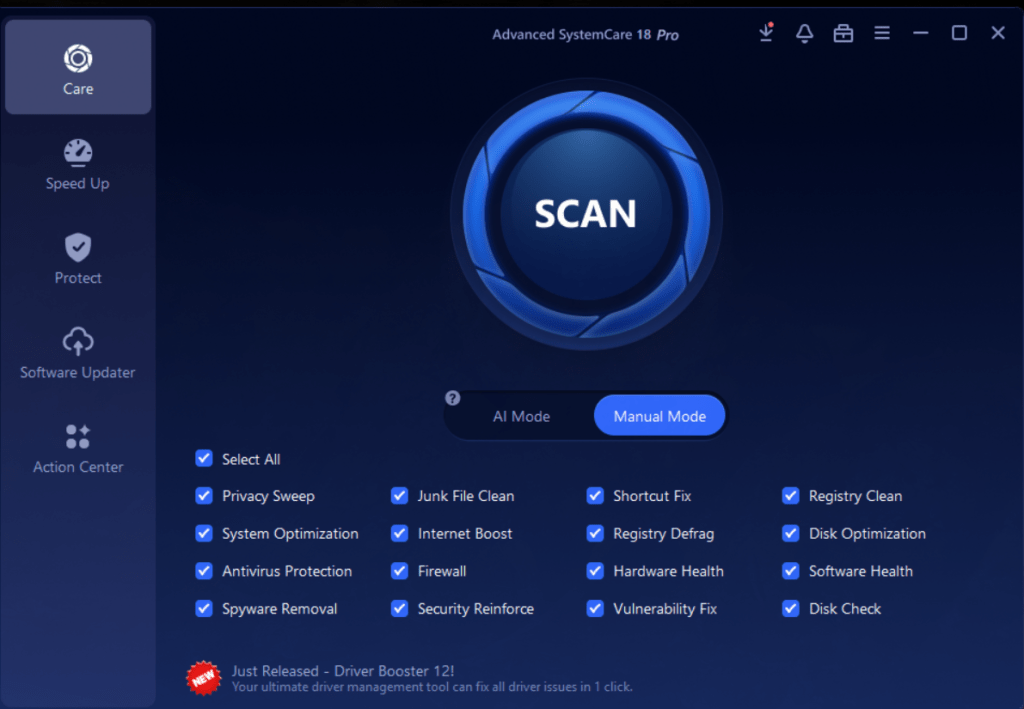
✅ Features:
- Real-time optimization
- Startup manager
- Privacy protection + junk cleaner
✅ Pros:
- Deep scans for hidden issues
- Sleek, modern UI
- Pro version available with extra features
❗ Cons:
- Might feel heavy on older PCs
🟢 Best For:
Users who want more than just basic cleanup—like real-time speed boosts and diagnostics.
💡 Want more features? Try the Pro version (Code: 298DA-9B91A-B3CA3-2A704) for deeper optimizations.
🧼 4. BleachBit (Open Source)
🔗 Download
Used by developers and power users, BleachBit is an open-source tool known for deep cleaning and privacy.

✅ Features:
- Removes junk files, logs, temporary data
- Cleans browser and app histories
- Secure file deletion
✅ Pros:
- No ads, completely free
- Super lightweight and fast
❗ Cons:
- Less user-friendly for beginners
- No fancy interface
🟢 Best For:
Tech-savvy users who want complete control over what gets cleaned.
🌀 5. Wise Disk Cleaner
🔗 Download
Wise Disk Cleaner is another lightweight but effective tool for cleaning up unnecessary files and defragmenting your drive.

✅ Features:
- Junk cleaner
- Disk defragmenter (HDD only)
- Schedule auto-clean
✅ Pros:
- Fast and small in size
- Built-in defrag tool (bonus!)
❗ Cons:
- Interface feels slightly dated
🟢 Best For:
Users with traditional hard drives (HDD) looking for a free way to speed things up.
💡 Pro Tips: Use These Tools Wisely
- Don’t run all tools together — pick one or two that fit your style
- Back up your system before cleaning the registry
- Set weekly reminders for cleanup (use Windows Task Scheduler)
🧾 Final Thoughts
Keeping your Windows PC fast and responsive doesn’t need expensive software. With these 5 free tools, you can take control of your system’s performance. Then get back to work or gaming without frustration.
Our Picks:
- Beginners → Use Microsoft PC Manager or CCleaner
- Power users → Try Advanced SystemCare or BleachBit
💬 Join the Conversation
Have you used any of these tools? Got a favorite we missed?
Drop a comment below and let us know! 🔽




 TRICKSFUNN
Comments are like sprinkles on an ice cream sundae – they make everything better!