Let’s face it, iPhones are amazing companions, but that constant worry about the battery life can be a real buzzkill. We’ve all been there: scrambling for a charger just as we’re about to capture that perfect sunset pic, or stressing about a dying phone during a long commute.
Fear not, fellow iPhone users! There are ways to squeeze more juice out of your beloved device. Here are some tried-and-tested tips that have helped me extend my iPhone battery life in 2024:
Master the Brightness:
- This one’s a no-brainer. The brighter your screen, the faster the battery drains. Keep your screen brightness on auto-adjust, or manually adjust it down whenever possible. Thankfully, iPhones have fantastic displays that are still clear even at lower brightness settings.

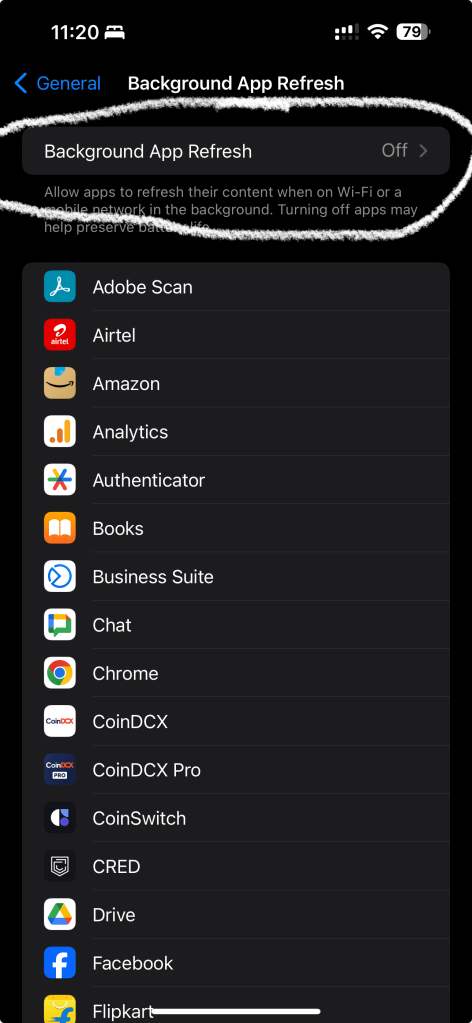
Background App Refresh: The Silent Culprit:
- Many apps silently guzzle battery life by refreshing in the background. Head over to Settings > General > Background App Refresh and turn it off for apps you don’t need constantly updating.
Location:
- Do you really need all your apps to know your location all the time? Disable location services for apps that don’t need it. Go to Settings > Privacy > Location Services and review each app’s permissions.

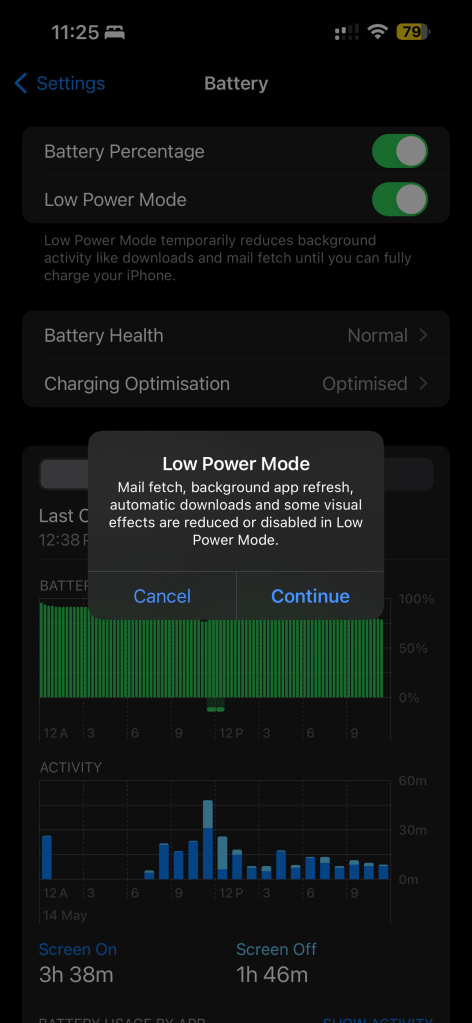
The Power of Low Power Mode:
- When your battery dips below a certain level (or whenever you need a little extra juice), activate Low Power Mode. This reduces background activity, slows down animations, and limits automatic downloads – all to conserve battery life. It’s easily accessible from the Control Center or Settings > Battery.
Night Owl vs. Early Bird:
- If you’re a night owl, enable Night Shift. This feature warms up the colors on your screen at night, which can be easier on your eyes and potentially use less battery compared to a bright blue light display.

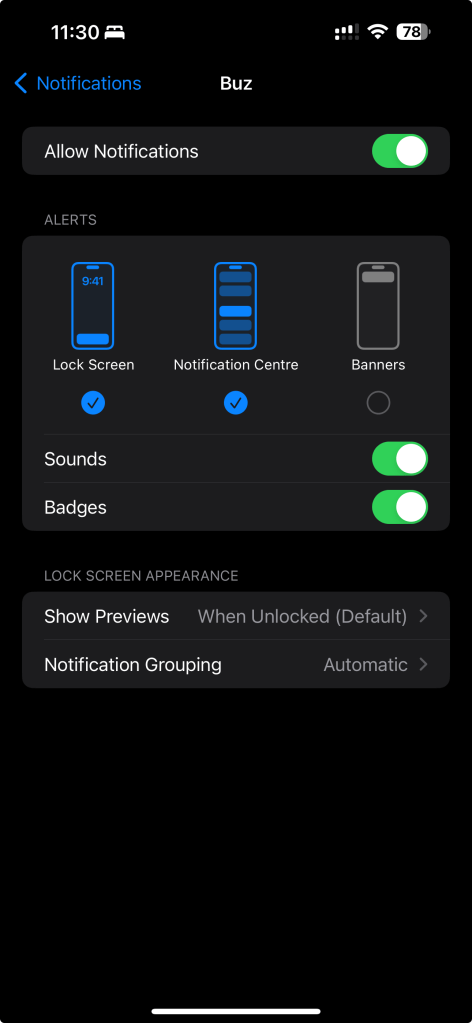
Tame Those Notifications:
- Constant notifications are not only distracting, but they can also drain your battery. Go to Settings > Notifications and customize notification settings for each app. Ask yourself: Do I really need to be alerted every time someone likes my post?
App Update Optimization:
- While keeping your apps updated is important for security and new features, automatic app updates can be a battery drain. Go to Settings > App Store and toggle off “App Updates” if you prefer to update apps manually.

Embrace Wi-Fi Whenever Possible:
- Cellular data usage consumes more battery than Wi-Fi. Whenever possible, connect to a Wi-Fi network to save battery life.

These are just a few simple tweaks you can make to extend your iPhone battery life in 2024. Remember, a little effort goes a long way in keeping your phone charged and ready for whatever the day throws your way.
Do you have any other battery-saving tips for iPhone users? Share them in the comments below!




 TRICKSFUNN
Comments are like sprinkles on an ice cream sundae – they make everything better!